The perfect iPod install?

When I first bought my iPod for use during MINI Takes The States I just used an AUX input (easy to install in the parking lot in Monterey!) and kept the iPod in one of the front cupholders.
But now with the Alpine HU in GPMINI, I don’t need to touch the iPod any more so I moved it to the glovebox – but connecting/disconnecting that plug behind it is tricky when there’s not much wire to play with (and I didn’t want to fill the glovebox with wire).

So I ordered an iPod dock, part of the “iRide” from MINI Mania, and it’s provided the perfect iPod install for me! I already had a glovebox organizer, so I bought the dock alone (with sleeve for my 5G 60GB video iPod) but you can also order it pre-installed to a glovebox organizer. However, installation is easy – the dock comes with a template to drill three holes in the organizer, and includes the screws too!

So now it’s easy to remove/reconnect the iPod, and it’s a great looking install too!

Aftermarket stereos in GPs

The GP offers less in the way of audio entertainment than stock MINIs – unless you count the engine & exhaust noise 😉
One problem is that the luggage bar mounts where the rear speakers would normally fit, so there are only door speakers (a “woofer” and “tweeter” in each door).

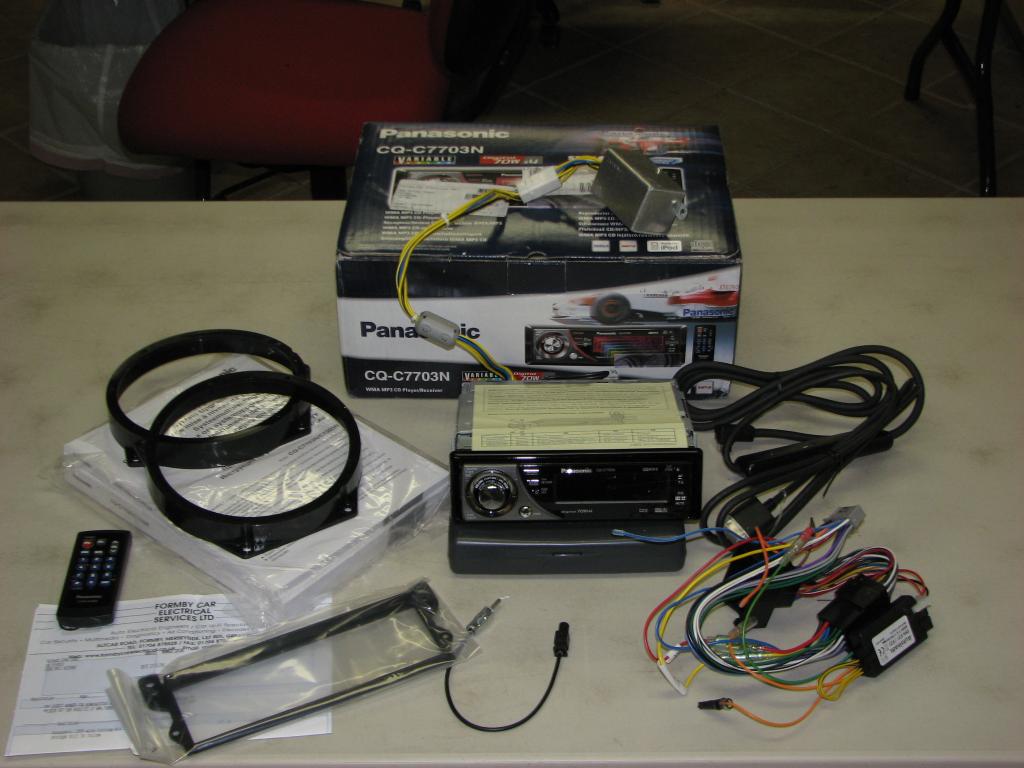
It’s possible of course to rip out the rear of the GP and install amplifiers, speakers, subwoofers, etc – but I wanted a less “aggressive” install! I began by ordering a Panasonic 7703 kit from MikeyTheMINI in England – the great benefit of ordering from Mikey is that he supplies a simple “plug and play” kit, including that the steering wheel controls still work. I had Mikey include the iPod interface too:
Panasonic1.jpg

The Panasonic 7703 offers two significant benefits for GP owners: an external power supply booster provides 50Wrms/channel (double that of most aftermarket stereos), and the display color can be tuned to match the GPs amber …

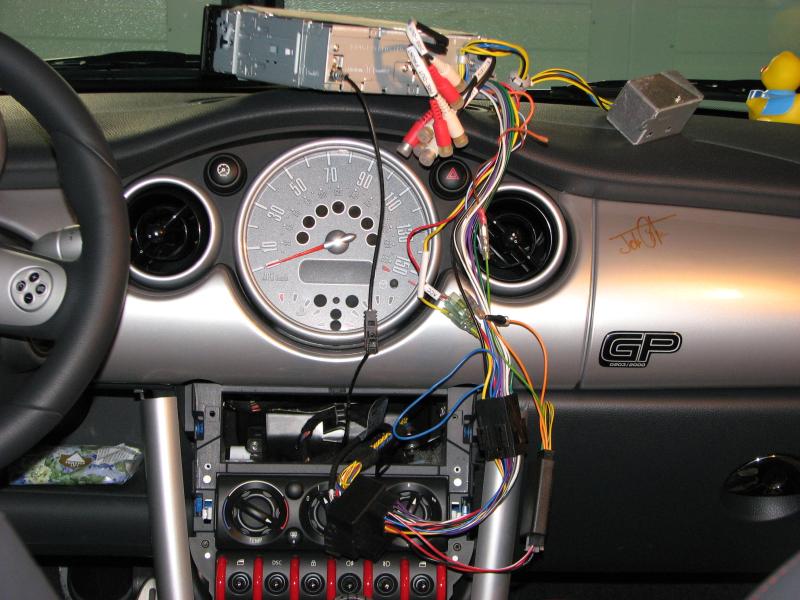
As always, I first do a test install to make sure everythings working OK … but this was as far as I got!
Panasonic5.jpg

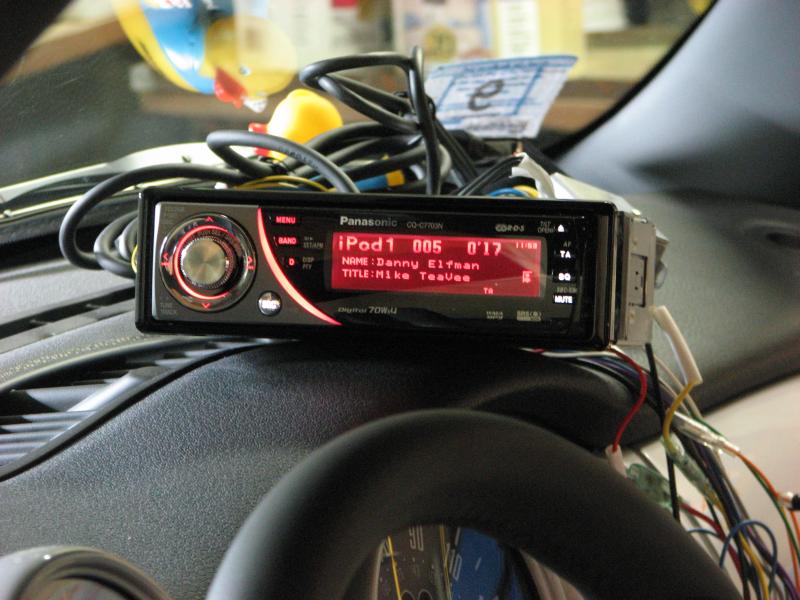
The problem I found was that iPod control, while it worked well, was very painful to use! The only way to select a particular artist/album/song is to select the category, then press “DOWN” repeatedly to get to your choice – this is VERY tedious when you start at “A” and you want to listen to “M” (or “Z”!)
You can’t turn the knob – that still controls volume – and you can hold the button to auto-repeat (no effect).
Panasonic9.jpg

If you mostly want to listen to random iPod music, or if you need a stereo that matches the GP interior, I recommend the Panasonic (in fact I have one available at a good price!) but it’s not for me …

So instead I switched to my backup plan. I knew that many Alpine stereos have great iPod control due to their “iPod full-speed” feature, and I’d checked out MINI friend Rich’ install at MINIsOnTop … so I visited Tweeter and had very helpful service including connecting an iPod cable so I could check out the interface.
It worked much better than the Panasonic: firstly you can spin the (volume) knob to click through the list, and secondly the “1”…”6″ (preset) buttons jump you a varying distance into your collection (so if you’re looking for someone near the end, press “5” or “6” to get close in one click).
The Alpine CDA-9857 was discounted $50 (end-of-year) so I bought one!

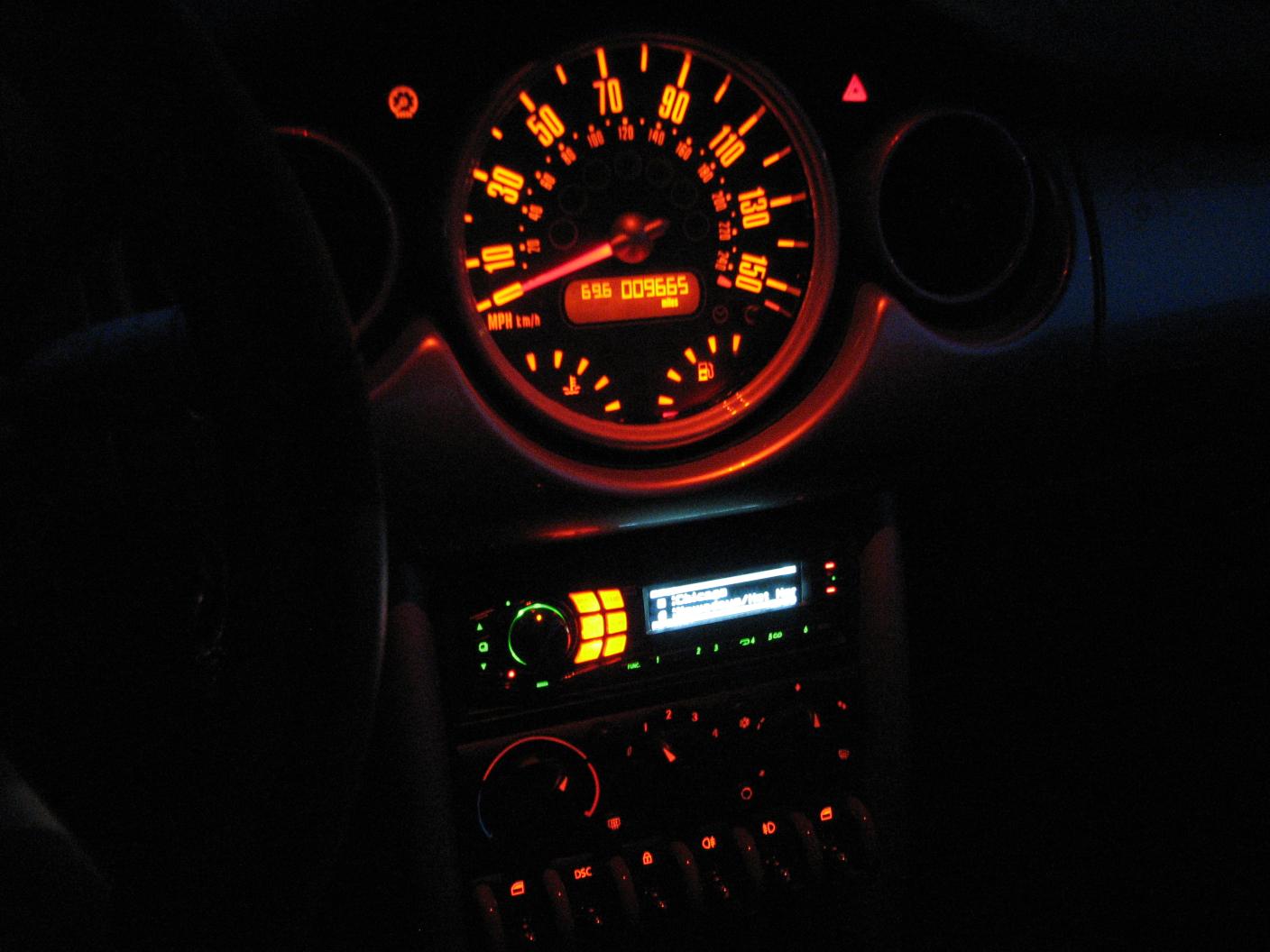
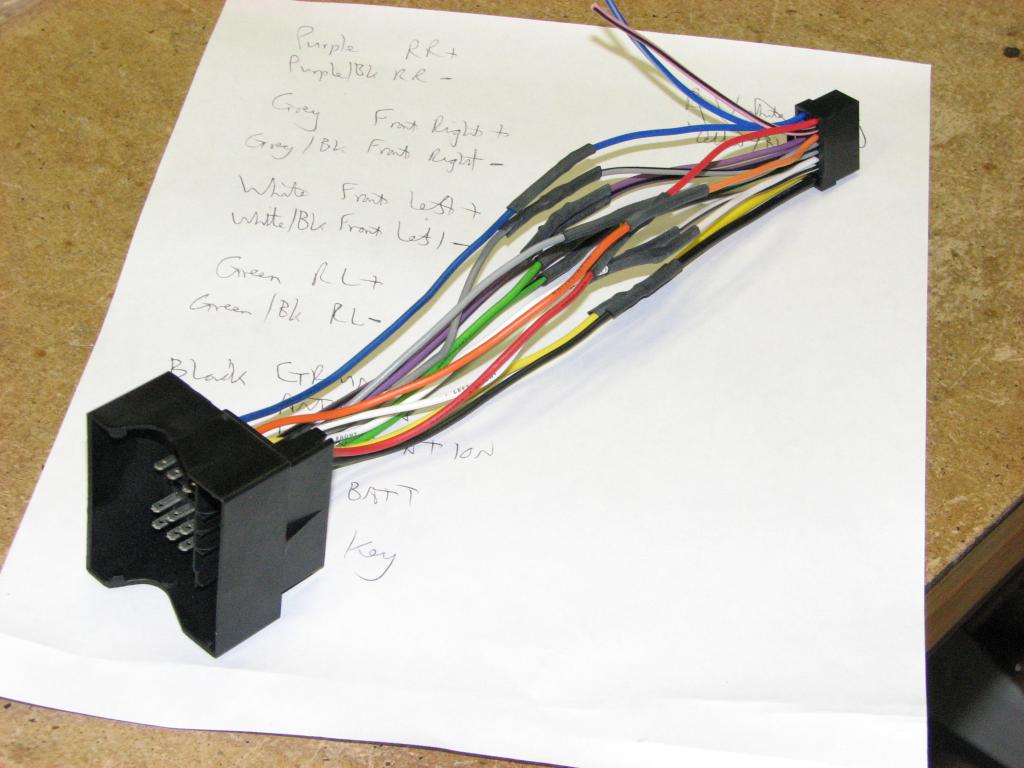
Of course I didn’t have plug-and-play from Mikey this time, so I made myself a wiring harness adaptor and installed it in GPMINI:

What I didn’t expect was the amazing sound difference that the Alpine has given me – even with the GPs limited number of factory speakers! The Alpine offers a “BBE” feature that manipulates the sound (see here) … the Alpine offers three BBE modes, and basically the effect is to dramatically enhance clarity, and also to “install” subwoofers in the car! That’s what it sounds like anyway.

Sound clarity seems to be improved by certain sounds / instruments / etc being “pulled out” from the music and highlighted – I hear sounds I’ve not heard before! Rather like the H/K effects, and similarly nice!
Low frequency performance apparently forces the factory speakers to work really hard, and provides a good simulation of subwoofers – admittedly it’s not quite as good as the subwoofers in GBMINI#3 but it’s close, and I wonder how much better it will be if I replace the factory door speakers with some aftermarket ones, and some Dynamat …

alpineatnight

UPDATE:
One curiosity: MINI of Peabody today couldn’t access the customer preferences configuration because of the missing factory stereo – we had to temporarily re-install it!

Joining the iPod craze

(a little late maybe!)

In both GBMINI#2 and GBMINI#3 I’ve used a Kenwood head unit and Kenwood Keg to store music – the Keg stores 20GB of music (more than I care to load onto it) and has an excellent interface at the head unit, and reasonable software on a PC too.

However, the Keg is ancient technology now and support for it seems to be vanishing since the rest of the world moves to iPods! I’ve started using iTunes to buy music I don’t have, and to get it to the Keg I have to burn it to CD in iTunes, then encode the CD into MP3 format, and manually type in the title/artist/etc because iTunes doesn’t burn that to the CD.

There’s also podcasts, especially White Roof Radio [woofcast] which I’m rather enjoying! So recently, I succumbed and bought an iPod!
[UPDATE: there’s was a shout-out to me on WhiteRoofRadio!]

It’s so much easier to move music onto the iPod – especially bought-from-iTunes stuff and the automatically handled podcasts; now I must replace my old Keg with iPod.

So trial one, I bought a Belkin TuneBase FM; I looked at many options and this one seemed nicely designed and easy to use – and the black matches GBMINI#3 (and the black iPod I bought).

It works quite well, but there is a noticeable loss of high frequency (corrected to some degree using the iPod EQ); also, it takes quite a few seconds before it starts broadcasting when the car is started – during that delay, the radio is playing annoying static.
Finally, there is some background noise and occasional upsets to the FM transmission when driving – I’ve tried a few different frequencies and while some are better than others, none are perfect.

So, trial two: I bought a Kenwood KCA-iP500 on eBay; I’d read some time ago that Kenwoods iPod implementation isn’t great, but I never expected it to be as awful as it is – at least in comparison with the Keg!

Firstly, it doesn’t display all the music information I’m used to – it’ll show the track title but only the artist / album / whatever if I select to play by artist / album / etc. And since the random function only works for the current “playlist”, I want to choose “all music” instead of a particular artist/album!

The head unit has a “magazine random” as well as “disc random” – these two work fine on the Keg, but the “magazine random” is disabled on the iPod (if it worked, it would give me random across all artists/albums which would somewhat resolve the display problem).
Also, when in random mode, the track number goes 01/02/03/… irrespective of the actual track number (it’s a random number sequence instead); I suppose it’s not important, but I’m used to better with the Keg!

Thirdly, it’s sluggish – press SCAN to switch between playlist/album/artist/genre/etc modes and it’s at least 3s before it’s ready to play again …

So now I’m thinking I need a new head unit – Alpine are pushing their superior iPod support; but maybe all head units are poor at the iPod interface; maybe it’s the iPod that limits random, artist/title display, etc.

So, if you have a good iPod solution in your MINI, tell me about it – how quick is it, how good is random mode, how good are the track info displays? And I’m not going back to the stock radio (no pre-outs to my amplifier)!