To summarize, the stereo system on the NAV equipped R56 is a big let-down! Most important is the poor sound quality – it’s been a long while since I’ve heard a stock R50/53 MINI stereo, and of course comparing most systems to GPMINI is unfair, but I’m really underwhelmed by the R56 sound.
There’s close to no bass; if you turn the bass level up it doesn’t have a lot of effect (except distortion if you turn it up too much) – worse still, there’s just not much clarity to the sound. Coincidentally, I just came across this post on NorthAmericanMotoring which discusses replacing the speakers, which says “ALL are 4 ohm speakers and are as cheap as can be. NO tweeters anywhere. All drivers appear to be treated paper and sound like they have screw drivers stuck in them”; I’m not going to disagree with that 🙂
Having the NAV system moves the radio displays on to “the big screen”, which offers some small benefits – to begin with, here is FM radio in “manual” mode with the curved line representing the FM spectrum from 88MHz to 108MHz; you tune up and down by rotating the joystick (you can also use the MFSW buttons, or two tiny hard-to-reach buttons to the right of the volume knob on the center console – see this pic).
More practically, you can select “all channels” mode – now the line straightens out, and shows only received stations:
The line will “scroll” left and right as you rotate the joystick, so that all received stations can be accessed.
In the pictures above, “RDS” (radio data system) is turned off, and the stations are listed by frequency – but you can click on the joystick to call up a menu, and enable RDS, after which the stations are identified by their RDS station name – but now, the stations are listed in alphabetical station name instead of frequency, which I found a little confusing – especially since some stations don’t appear to broadcast sensible station names; I’ve seen some stations “cheat” their RDS by broadcasting the artist or track name as a station name – this “magically” makes an RDS radio display artist/track information, but I think it messes up this MINI concept of displaying stations by name:
Finally, you can store stations to a preset list, and then access your FM radio by “presets”; once again they display frequency if RDS is disabled, or station name if RDS is enabled (but thankfully they remain in preset order!):
Here you start to see how the NAV display screen is somewhat wasted – lots of screen space showing a list of stations, and just the little space bottom left where the current station information is displayed … on the other hand, there’s not much information to display for an FM station, although the RIVER was trying to wish someone a happy birthday!
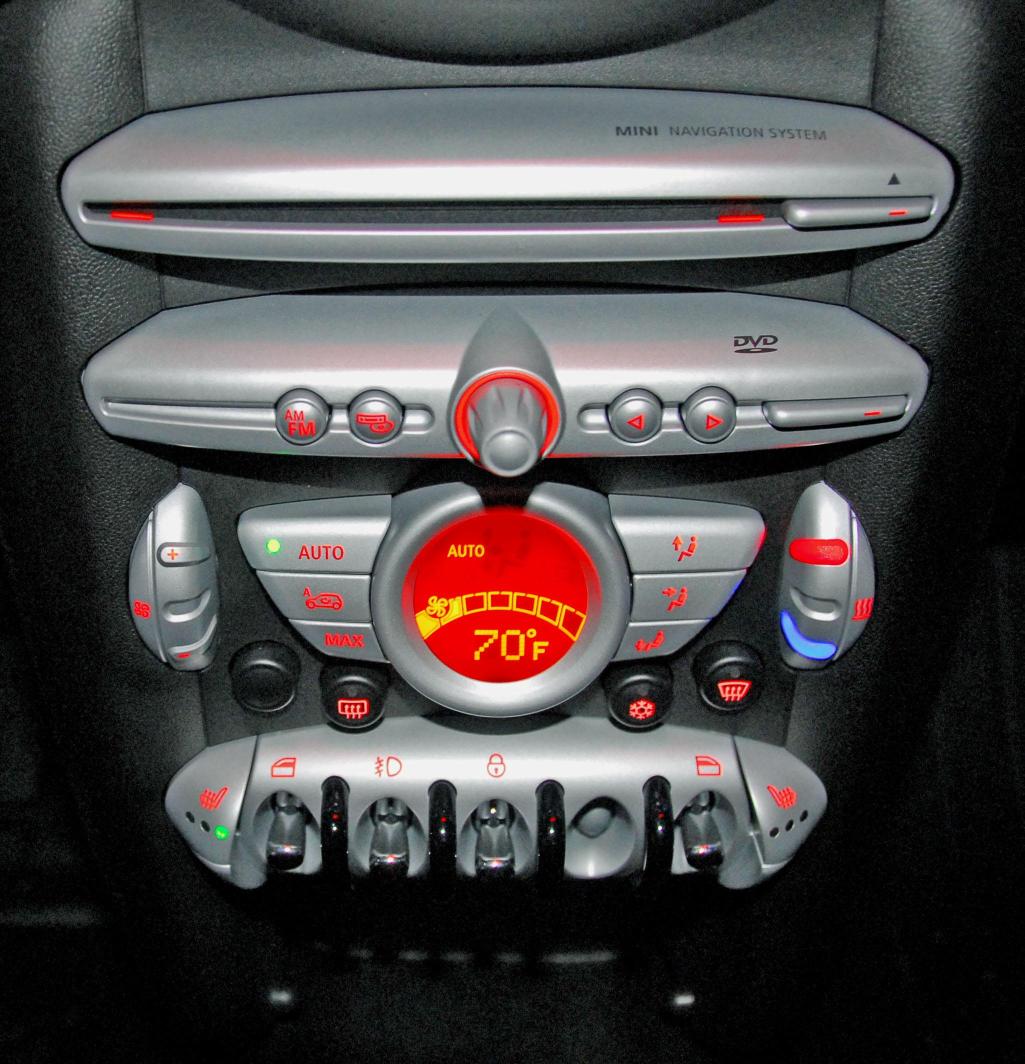
More downsides of the NAV / joystick combo include having very few dedicated buttons – as you can
see here, there’s an FM/AM button (who uses AM these days?), a button to select the source (radio/CD/AUX), and left/right buttons (which can tune, step through CD tracks, etc). The steering wheel MFSW left/right buttons have the same function, and are easier to reach!
There are no preset select buttons – if you want to choose a preset station, you first have to be in “preset” tuning mode, then you can press left/right to step from one preset to the next; not as easy as just pressing the “5” button (or whatever one you want).
I’ll have to check out the R56 non-NAV radio, but I suspect it’s more practical than this NAV version, just because it will have dedicated buttons for many of it’s functions.


 M&I / GBMINI